Modern work feels overwhelming.
Most people spend their days switching between:
- emails
- documents
- meetings
- task lists
- messages
- notes
- spreadsheets
- calendars
The result?
Constant distraction.
Many people no longer struggle because they lack information.
They struggle because they are overloaded with it.
That is exactly why AI productivity tools exploded in popularity.
In 2026, platforms like Notion AI are helping people:
- organize projects faster
- summarize information instantly
- automate repetitive tasks
- manage knowledge efficiently
- reduce mental clutter
- focus on meaningful work
Instead of spending hours organizing information manually, users can now create systems that help them think more clearly and work more efficiently.
This guide explains:
- what Notion AI is
- how it works
- why productivity tools are changing work culture
- how creators and businesses use AI organization systems
- the best productivity workflows
- common mistakes people make
- realistic automation strategies
- how AI is reshaping digital work
Whether you are a student, freelancer, entrepreneur, remote worker, or content creator, understanding AI productivity systems is becoming increasingly valuable.
Why Productivity Tools Became So Important
The modern internet creates constant information overload.
Every day people consume:
- emails
- Slack messages
- meetings
- notifications
- articles
- documents
- videos
- social media
Without systems, information becomes chaotic.
This creates several major problems:
- mental fatigue
- poor focus
- missed deadlines
- duplicated work
- disorganized projects
- burnout
Traditional productivity systems tried solving this manually.
But AI productivity tools take a different approach.
Instead of only storing information, they help process and organize it automatically.
That changes productivity completely.
What Is Notion AI?
Notion AI is the AI-powered version of Notion, one of the most popular productivity and workspace platforms in the world.
Notion itself combines:
- notes
- documents
- databases
- project management
- task systems
- collaboration tools
into one workspace.
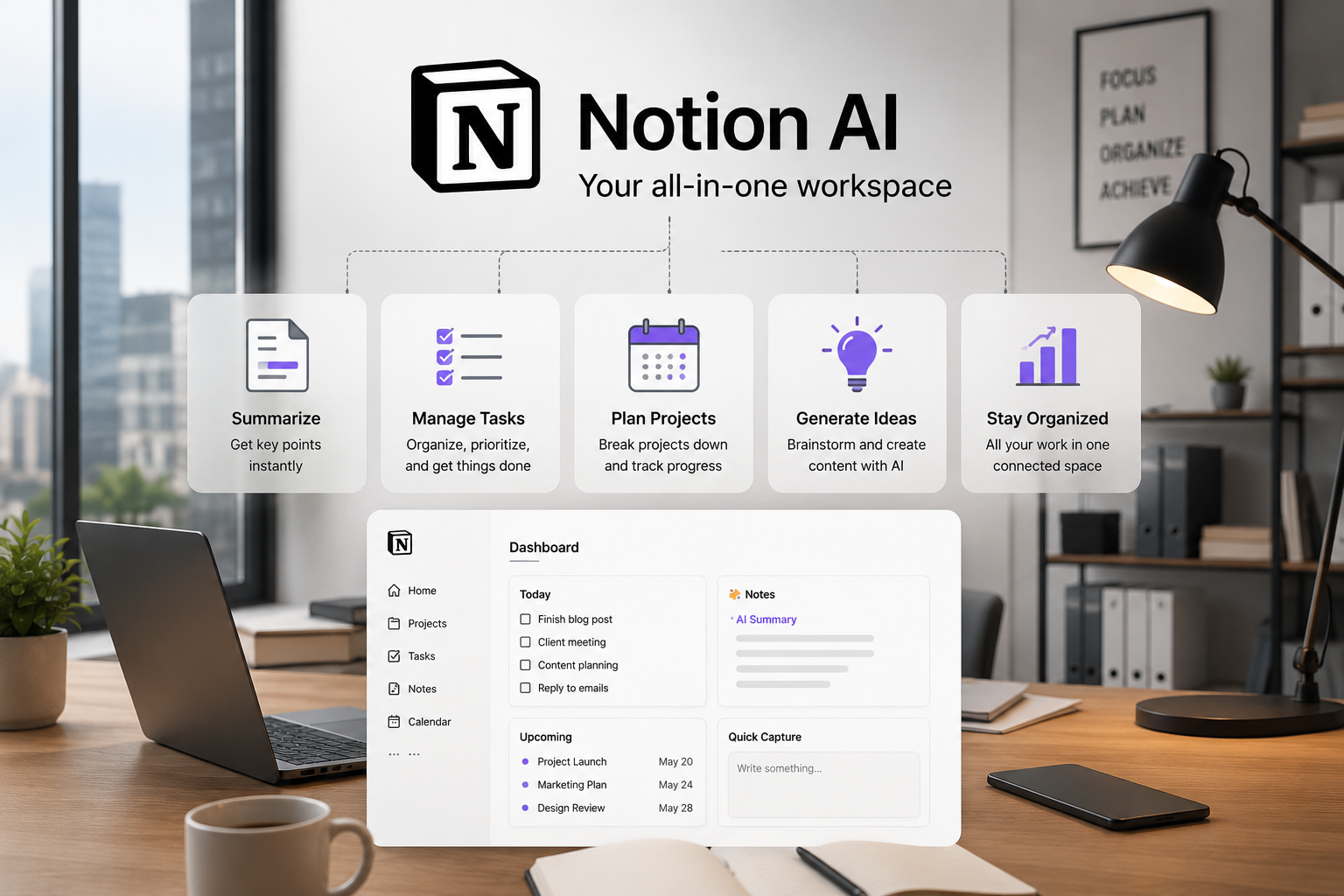
Notion AI adds intelligent features like:
- summarizing notes
- generating content
- organizing information
- creating task lists
- answering questions from documents
- rewriting text
- brainstorming ideas
This transforms Notion from a simple workspace into an intelligent productivity assistant.
Why Notion AI Became So Popular
One major reason:
It reduces friction.
People waste enormous amounts of time on small repetitive tasks like:
- organizing notes
- formatting documents
- summarizing meetings
- rewriting text
- creating project outlines
- planning content
Notion AI automates many of these tasks.
That allows users to focus more on:
- decision-making
- creativity
- strategy
- execution
instead of digital clutter.
This is especially valuable for remote work environments where information becomes scattered quickly.
How People Use Notion AI in Real Life
The most successful users treat Notion AI as a thinking partner.
Not just a note-taking app.
Here are common real-world use cases.
Project Management
Teams use Notion AI to:
- organize projects
- track deadlines
- summarize updates
- manage workflows
- coordinate tasks
AI helps reduce manual admin work dramatically.
Content Planning
Content creators use Notion AI for:
- blog outlines
- YouTube planning
- content calendars
- brainstorming ideas
- script organization
This is especially useful for creators publishing frequently.
Meeting Summaries
Instead of manually reviewing long notes, AI can summarize meetings instantly.
This saves significant time for:
- startups
- agencies
- remote teams
- consultants
Personal Productivity
Individuals use Notion AI for:
- daily planning
- habit tracking
- study organization
- journaling
- task prioritization
The platform becomes a centralized digital brain.
Why AI Productivity Tools Feel Different
Traditional productivity apps mainly stored information.
AI productivity tools actively assist users.
That difference matters.
For example:
Traditional notes:
- passive storage
AI-powered notes:
- searchable intelligence
- summaries
- contextual suggestions
- automated organization
The experience feels far more dynamic.
Instead of searching endlessly through documents, users can ask questions directly.
That dramatically changes workflow speed.
The Biggest Productivity Problem: Context Switching
One of the largest hidden productivity killers is context switching.
Every time someone jumps between:
- tabs
- apps
- conversations
- tasks
the brain loses focus.
Modern work environments constantly encourage this behavior.
AI productivity systems help centralize information.
This reduces:
- distraction
- duplicated effort
- cognitive overload
The result is clearer focus.
The Best Features of Notion AI
Several features make Notion AI especially valuable.
AI Summaries
Long documents become short summaries instantly.
This is useful for:
- research
- meetings
- study notes
- client reports
AI Writing Assistance
Users can generate:
- outlines
- drafts
- action lists
- summaries
- brainstorms
directly inside their workspace.
Database Organization
Notion databases are extremely powerful.
AI helps structure information faster and more intelligently.
Workflow Centralization
Instead of managing five separate tools, many users centralize workflows inside Notion.
This improves clarity significantly.
How Students Use Notion AI
Students are becoming one of the largest user groups for AI productivity tools.
Common student workflows include:
- lecture summaries
- study schedules
- assignment tracking
- flashcard organization
- research management
- essay planning
AI helps students process information faster.
But the most effective students still review and understand the material themselves.
AI works best as an assistant — not a replacement for learning.
How Businesses Use Notion AI
Businesses use Notion AI to reduce operational chaos.
Common business use cases include:
- onboarding systems
- internal documentation
- SOP management
- content planning
- team collaboration
- project tracking
- meeting organization
One major advantage is scalability.
As businesses grow, information becomes harder to manage.
AI helps organize knowledge more efficiently.
AI Productivity for Content Creators
Content creators manage enormous amounts of information.
Examples include:
- ideas
- scripts
- thumbnails
- publishing schedules
- affiliate links
- SEO research
- collaborations
Without systems, everything becomes messy quickly.
Creators use Notion AI to build centralized content systems.
This often includes:
- content calendars
- publishing pipelines
- sponsor tracking
- keyword organization
- article outlines
The result is more consistent production.
AI Productivity for Freelancers
Freelancers constantly manage multiple clients simultaneously.
This creates organizational pressure.
Notion AI helps freelancers manage:
- invoices
- project timelines
- client notes
- deliverables
- communication logs
- proposals
This reduces mental clutter dramatically.
AI Productivity for Small Businesses
Small businesses often lack large operations teams.
AI productivity tools help compensate for that.
Instead of hiring additional administrative support early, businesses automate repetitive organization tasks.
This improves efficiency without significantly increasing costs.
How AI Automation Improves Productivity
Automation removes repetitive friction.
Examples include:
- auto-generated meeting notes
- recurring task systems
- AI-generated summaries
- workflow templates
- content pipelines
This saves both time and mental energy.
That second part matters heavily.
Mental exhaustion often comes more from organization overload than actual difficult work.
Common Productivity Mistakes People Make
Many users assume productivity tools automatically solve productivity problems.
They do not.
Poor systems still create chaos.
Here are common mistakes.
Overcomplicating Workspaces
Some users build extremely complex systems they never actually use.
Simple systems usually perform better long-term.
Constantly Rebuilding Systems
Many people spend more time organizing productivity tools than doing meaningful work.
This becomes procrastination disguised as productivity.
Trying to Automate Everything
Not every task needs automation.
Sometimes simplicity is faster.
Consuming Productivity Content Instead of Working
Watching endless productivity videos can become another distraction loop.
Tools matter less than consistent execution.
AI Productivity and Mental Clarity
One underrated benefit of organization systems is reduced anxiety.
Disorganized work environments create cognitive stress.
When tasks, ideas, and responsibilities are scattered everywhere, mental load increases.
Clear systems create psychological clarity.
That is why productivity tools feel emotionally satisfying for many people.
The Future of AI Productivity
AI productivity systems will continue evolving rapidly.
Future systems will likely become more proactive.
Instead of waiting for instructions, they may:
- suggest priorities
- detect bottlenecks
- organize information automatically
- recommend schedules
- anticipate workflows
But an important reality remains:
No productivity system replaces discipline.
AI can reduce friction.
It cannot replace focus, consistency, or decision-making.
Will AI Replace Human Organization Skills?
Not completely.
AI helps process information.
Humans still decide:
- priorities
- strategy
- creative direction
- emotional judgment
- business decisions
The best professionals in 2026 are usually the ones combining:
- AI systems
- structured thinking
- human creativity
- execution discipline
That combination becomes extremely powerful.
The Rise of the “Second Brain”
One major trend in productivity culture is the concept of a digital “second brain.”
This means building systems where:
- ideas
- notes
- research
- projects
- resources
- workflows
are stored and organized externally instead of relying on memory alone.
Notion AI accelerates this dramatically.
Instead of manually organizing everything, users can interact with their knowledge intelligently.
This changes how people think and work.
How to Start Using Notion AI Effectively
The best way to begin is simple.
Do not try building a massive workspace immediately.
Start with:
- daily notes
- task management
- one content system
- one project tracker
Then gradually expand.
The most effective productivity systems evolve naturally over time.
Final Thoughts
Notion AI represents a major shift in digital productivity.
Instead of simply storing information, modern productivity tools actively help users:
- organize work
- summarize information
- manage projects
- automate repetitive tasks
- reduce cognitive overload
This creates faster and more focused workflows.
For creators, freelancers, students, and businesses, the opportunity is significant.
But tools alone are not enough.
Long-term productivity still depends on:
- consistency
- clarity
- prioritization
- discipline
- meaningful execution
AI productivity tools work best when they support human thinking instead of replacing it.
That balance is where the real advantage exists in 2026.