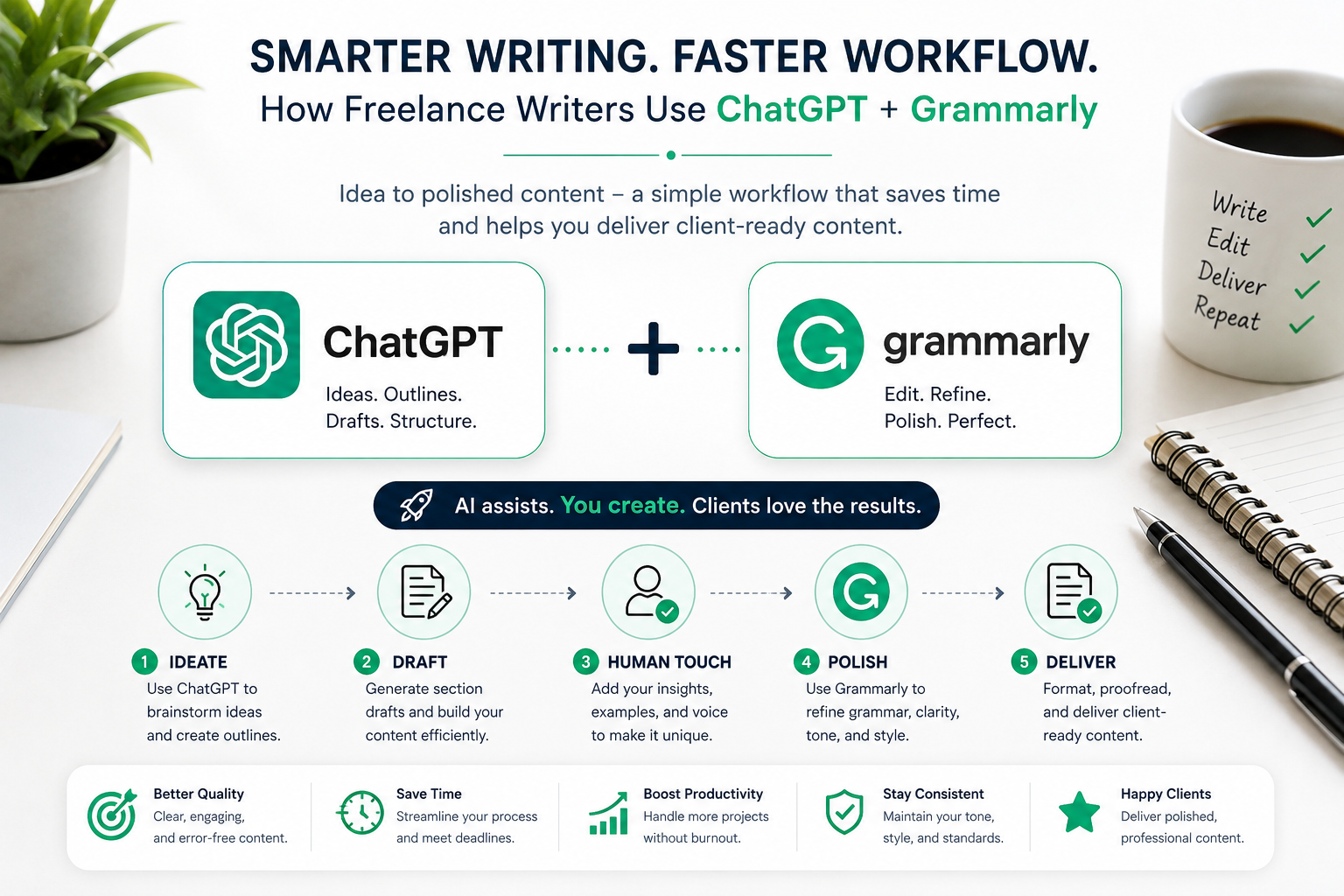
Freelance writing is not just about writing well anymore.
Most writers are balancing multiple clients, tight deadlines, SEO expectations, edits, formatting requests, and constant content production — often at the same time.
That’s why many freelancers are now using tools like OpenAI’s ChatGPT and Grammarly to build faster, more sustainable writing workflows.
Not to replace creativity.
Not to fully automate writing.
But to reduce mental overload, speed up repetitive tasks, and help maintain consistent quality across projects.
This guide breaks down a practical content pipeline freelancers can actually use — from idea generation to polished client delivery.
Why ChatGPT + Grammarly Works Well Together
These tools solve two very different problems.
ChatGPT helps with:
- brainstorming ideas
- creating outlines
- overcoming writer’s block
- generating rough drafts
- structuring articles faster
Grammarly helps with:
- grammar correction
- clarity improvements
- sentence flow
- tone consistency
- polishing final drafts
Together, they create a workflow that feels less mentally exhausting, especially when managing large amounts of content weekly.
Step 1: Use ChatGPT to Eliminate the Blank Page Problem
For many freelancers, the hardest part of writing is simply starting.
That empty document can waste hours.
This is where ChatGPT becomes genuinely useful.
Instead of asking it something vague like:
“Write an article about social media.”
Give detailed context.
The more specific your prompt is, the better the result becomes.
Example:
“Outline a 700-word blog post for small business owners explaining how to use Instagram Stories to increase engagement. Use practical examples and a casual tone.”
That single change dramatically improves output quality.
Don’t Treat AI Drafts as Final Content
One of the biggest mistakes beginners make is copying ChatGPT output directly into client work.
That usually creates:
- generic writing
- repetitive phrasing
- weak originality
- obvious AI patterns
Instead, treat AI output like scaffolding.
Use it to:
- organize ideas
- structure sections
- speed up research
- generate starting points
Then add:
- personal insight
- examples
- brand voice
- SEO optimization
- human editing
The freelancer still shapes the final piece.
Write Section by Section Instead of Generating Everything at Once
A surprisingly effective trick:
Don’t ask ChatGPT to write the full article immediately.
Instead:
- generate the outline first
- review and improve the structure
- draft one section at a time
- edit as you go
This avoids:
- irrelevant tangents
- repetitive sections
- robotic transitions
- bloated articles
It also gives you much more control over tone and pacing.
Step 2: Use Grammarly to Polish the Draft
Once the rough draft exists, Grammarly becomes the cleanup layer.
AI-generated writing often sounds technically correct but awkward to read.
Grammarly helps spot:
- passive voice overuse
- wordy sentences
- unnatural phrasing
- inconsistent tone
- punctuation mistakes
For freelancers handling multiple projects, this reduces editing fatigue significantly.
Don’t Accept Every Grammarly Suggestion Blindly
This matters.
Grammarly is helpful, but sometimes it removes personality from writing.
Especially for:
- casual blog posts
- creator-focused writing
- conversational content
- brand-specific tone
Always ask:
“Does this still sound human?”
Good freelance writing should feel natural, not mechanically optimized.
A Realistic Freelance Writing Workflow Example
Imagine a client requests:
- a 1,000-word productivity article
- targeting remote workers
- casual but professional tone
- SEO-friendly structure
Here’s how the workflow might look.
1. Generate the Outline
Prompt ChatGPT:
“Create an outline for a 1,000-word article about remote work productivity without burnout for remote workers aged 25–35.”
ChatGPT creates the structure.
You remove weak sections and adjust the angle.
2. Draft One Section at a Time
Instead of generating everything:
- intro first
- then morning routine section
- then productivity tips
- then burnout prevention
This keeps quality more consistent.
3. Add Human Examples
This is where content becomes valuable.
Add:
- client-specific terminology
- real experiences
- unique opinions
- relatable examples
Without this step, AI content feels generic quickly.
4. Run Grammarly
Now polish readability and clarity.
Focus especially on:
- sentence flow
- filler removal
- readability
- consistency
5. Final Human Review
Before delivery:
- remove robotic phrasing
- improve transitions
- naturally insert SEO keywords
- ensure the article sounds cohesive
This final review is what separates professional freelance content from mass-produced AI writing.
Common Mistakes Freelancers Make With AI Writing
Many writers use AI incorrectly at first.
The most common issues are:
Using Vague Prompts
Weak prompts create weak content.
Specificity improves quality dramatically.
Depending Too Much on AI
AI-generated content without human editing often feels empty.
Clients still want expertise, insight, and personality.
Writing Entire Articles in One Prompt
Large prompts often create repetitive, unfocused drafts.
Section-based drafting works better.
Ignoring Formatting
Formatting affects professionalism more than many freelancers realize.
Messy documents create unnecessary revisions.
How to Speed Up Your Workflow Without Sacrificing Quality
The goal is not writing faster at all costs.
The goal is reducing wasted energy.
A few practical improvements help a lot:
- save reusable prompt templates
- batch similar writing tasks together
- keep client tone guidelines documented
- reuse successful article structures
- create workflow checklists
Freelancers who systemize these small steps usually scale much more sustainably.
Formatting Matters More Than Most Writers Think
A polished article is not just about the words.
Clients also notice:
- heading structure
- clean formatting
- metadata inclusion
- file organization
- consistent styling
Before delivering:
- check headings
- review links
- confirm formatting requirements
- verify SEO elements
- use proper file names
These small details quietly increase client trust.
Final Thoughts
Using ChatGPT and Grammarly together is not about replacing freelance writers.
It’s about creating a workflow that helps freelancers:
- handle more content sustainably
- reduce burnout
- improve consistency
- spend less time stuck
- focus more on high-value creative work
The best results happen when AI becomes an assistant — not the writer itself.
Used thoughtfully, these tools can dramatically improve both speed and workflow quality without sacrificing your voice or originality.