Video editing is no longer just about trimming clips together.
Modern creators are expected to:
- edit long-form videos
- create short-form clips
- add captions
- optimize for multiple platforms
- maintain consistency
- publish quickly
- manage huge amounts of footage
Doing all of that manually becomes exhausting fast.
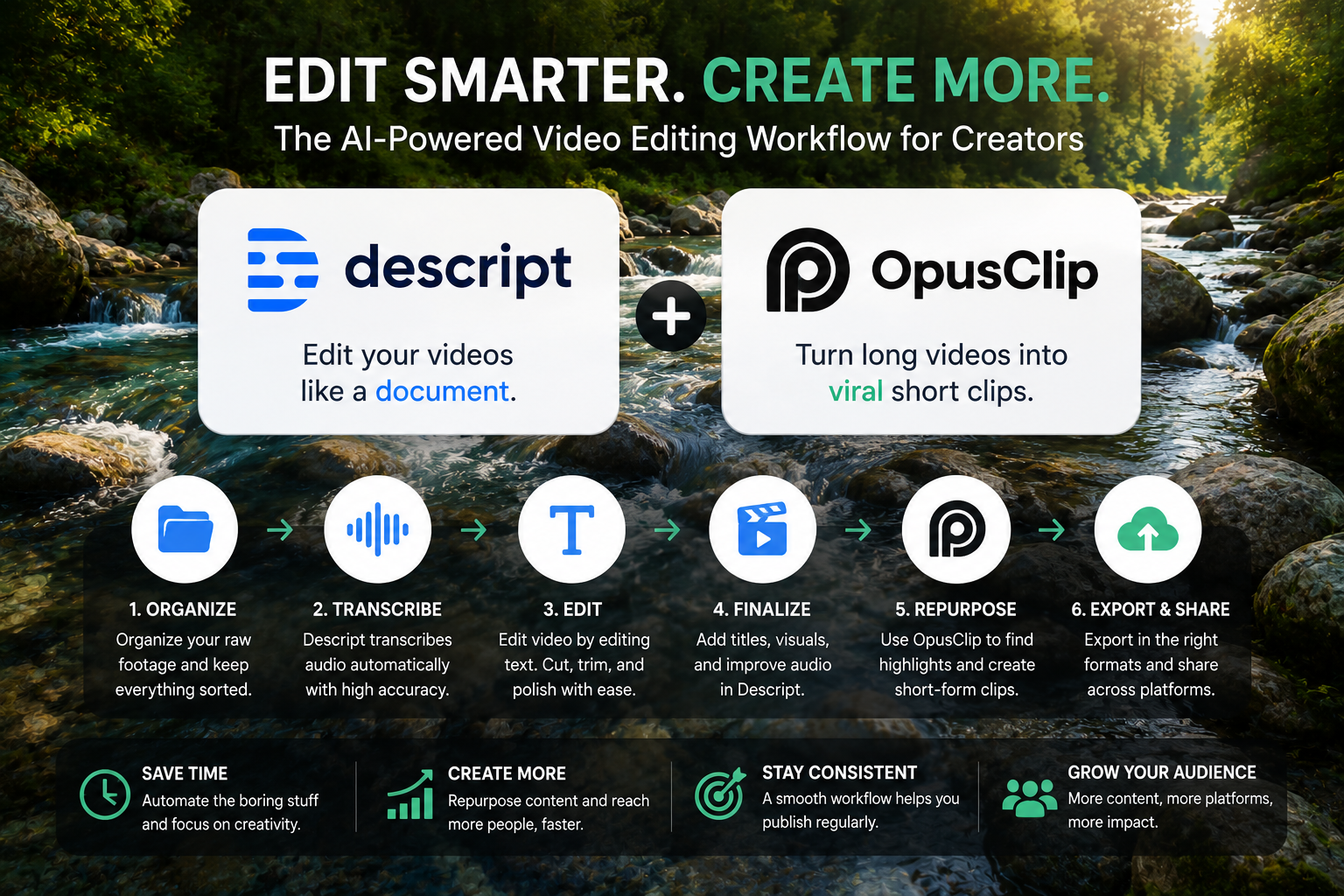
That’s why many creators now combine Descript and OpusClip to build faster, more scalable editing workflows.
Used properly, Descript helps simplify the editing process through transcription-based editing, while OpusClip helps repurpose long-form content into short videos for platforms like TikTok, Instagram Reels, and YouTube Shorts.
The result is a workflow that feels much less overwhelming.
Why AI Video Editing Workflows Matter
Many creators lose massive amounts of time on repetitive editing tasks.
Things like:
- scrubbing timelines endlessly
- searching for specific moments
- manually creating captions
- resizing videos for different platforms
- clipping highlights manually
- exporting multiple formats
AI tools reduce much of this friction.
Not by replacing creativity.
But by speeding up repetitive technical work.
Step 1: Organize Raw Footage Before Editing
This sounds boring.
But it saves enormous time later.
One of the biggest beginner mistakes is dumping random files directly into editing software with names like:
- VID_001
- FINALFINAL.mov
- Clip2.mp4
That becomes chaos quickly.
Instead:
- rename files clearly
- group footage by project
- organize folders logically
- create backups immediately
Example:
Instead of:
VID_001.mov
Use:
2026-06-01-Interview-GuestA-Cam1.mov
This makes editing dramatically easier later.
Step 2: Use Descript for Transcription-Based Editing
Once your footage is organized, import it into Descript.
Descript automatically:
- transcribes audio
- syncs text with video
- lets you edit video by editing text
This is where the workflow becomes much faster.
Why Text-Based Editing Is So Useful
Traditional editing often means:
- scrubbing through timelines
- replaying clips repeatedly
- searching manually for moments
Descript changes this.
You can simply:
- scan the transcript
- find the section you want
- delete unnecessary text
- instantly remove that part from the video
For tutorials, interviews, podcasts, and talking-head videos, this saves a huge amount of time.
Remove Filler Words Faster
One of Descript’s most useful features:
Quick cleanup editing.
You can rapidly remove:
- “um”
- “uh”
- awkward pauses
- repeated phrases
- off-topic sections
Simply by editing text.
This makes rough cuts dramatically faster.
Don’t Trust Automated Transcripts Blindly
This part matters.
AI transcription is helpful — but not perfect.
Descript can still:
- misunderstand words
- miss names
- confuse technical terms
- create incorrect timestamps
Always proofread important sections manually.
Especially if dialogue accuracy matters.
Step 3: Fine-Tune the Video Inside Descript
After the rough cut is done, move into cleanup editing.
Inside Descript, you can:
- adjust timing
- trim scenes
- add titles
- insert images
- create screen recordings
- improve audio flow
This simplifies editing for creators who are not traditional timeline editors.
Don’t Overuse AI Overdub Features
Descript includes overdub and AI voice replacement tools.
Useful sometimes.
But beginners often overuse them.
Too many AI-generated voice patches can start sounding unnatural quickly.
Use them carefully for:
- fixing small mistakes
- replacing short phrases
- quick corrections
Not entire sections.
Step 4: Use OpusClip to Repurpose Content Faster
Once your main edit is finished, OpusClip becomes useful.
This is where long-form content turns into short-form content automatically.
Example:
A 20-minute interview can become:
- TikTok clips
- Instagram Reels
- YouTube Shorts
- highlight moments
- hook-focused snippets
Without manually re-editing everything from scratch.
How OpusClip Helps Creators Save Time
OpusClip automatically:
- identifies highlight moments
- detects engaging segments
- reframes video vertically
- generates captions
- creates short-form clips
This massively speeds up repurposing workflows.
Important: OpusClip Is Not a Full Editor
A common beginner misunderstanding:
Trying to use OpusClip for full production editing.
That’s not its strength.
OpusClip works best after the main edit is already complete in Descript or another editor.
Think of it as a repurposing tool — not your main editing suite.
Captions Are No Longer Optional
Most social platforms now autoplay videos silently first.
That means captions matter heavily.
Both Descript and OpusClip include captioning tools that help improve:
- retention
- accessibility
- watch time
- engagement
Keep Captions Clean and Readable
Common caption mistakes include:
- captions covering faces
- inconsistent styles
- too much animation
- tiny unreadable text
Keep captions:
- large
- simple
- high contrast
- easy to scan quickly
Cleaner captions usually perform better anyway.
Export Smarter, Not Bigger
Many beginners export unnecessarily massive files.
For social clips:
You usually do not need huge 4K exports.
That only increases upload times and storage problems.
Instead:
- export platform-specific versions
- label files clearly
- organize exports by platform
Example:
- Interview-TikTok-30sec.mp4
- Interview-YouTubeShorts.mp4
Speed Comes From Systems Not Editing Faster
The fastest creators are usually the most organized.
Helpful habits include:
- using folder structures consistently
- batching editing sessions
- searching transcripts instead of scrubbing
- limiting endless revisions
- reviewing clips before posting
Good systems reduce editing fatigue dramatically.
Don’t Fall Into Endless Tweaking
Many creators waste hours micro-adjusting tiny details nobody notices.
Instead:
- set editing time limits
- focus on storytelling first
- prioritize pacing and clarity
- avoid perfection paralysis
Consistency usually matters more than endless polishing.
Collaboration and Feedback Work Better With Structured Workflows
Descript also helps collaboration become cleaner.
You can:
- share project links
- collect feedback directly
- track edits
- update master files centrally
This prevents version chaos across exported clips.
Final Thoughts
Using Descript and OpusClip together creates a practical editing system for creators who need to produce more content without drowning in manual editing work.
The real value is not just editing faster.
It’s creating a workflow that helps you:
- stay organized
- repurpose content efficiently
- reduce repetitive editing
- create multi-platform videos faster
- spend more time on storytelling
The best results happen when AI supports your workflow — not when it completely controls it.
Used thoughtfully, these tools can help creators scale video production without sacrificing clarity, quality, or creative direction.