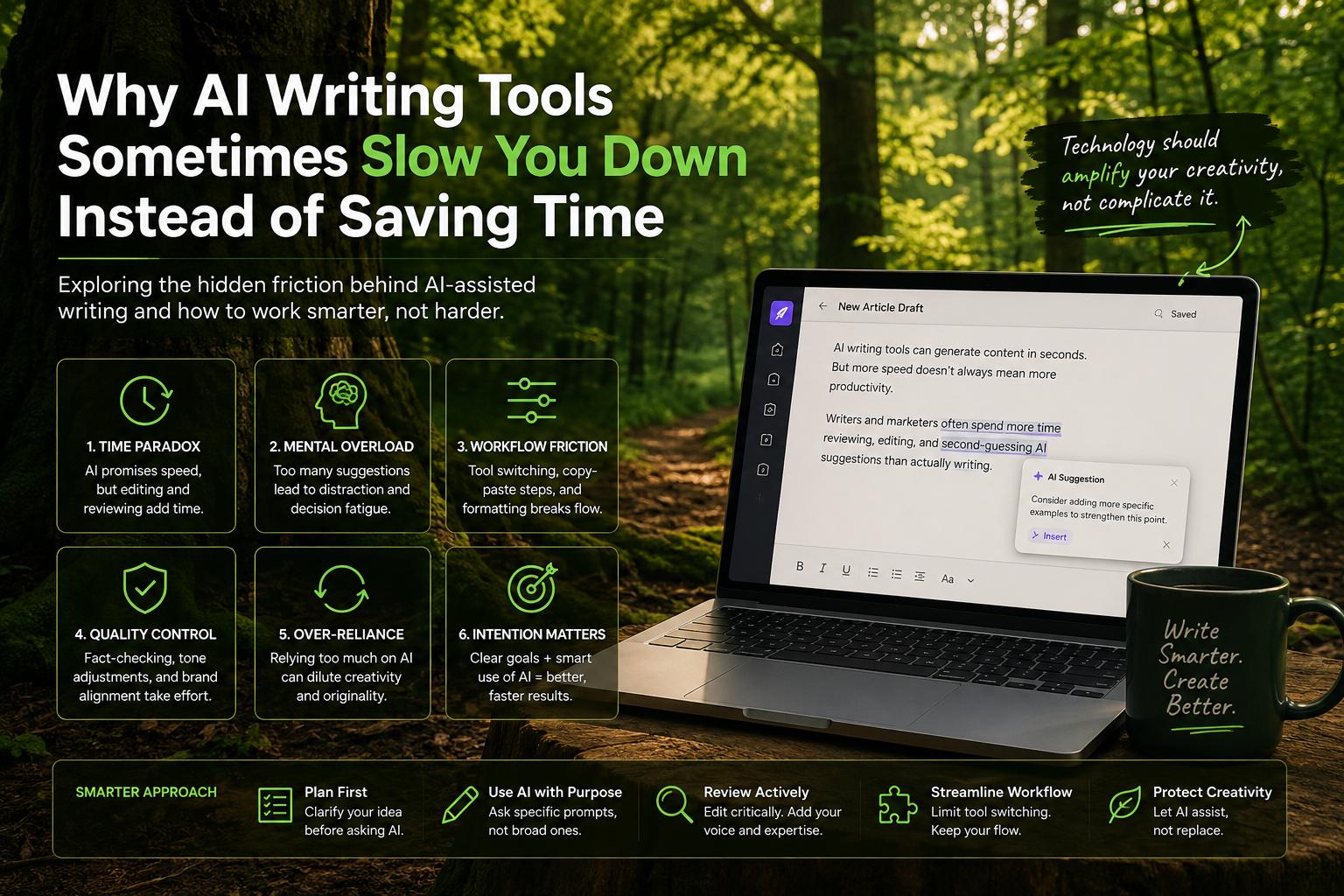
AI writing tools promised a smoother ride for content creators faster drafts, richer suggestions, instant research references. Yet, several years into the AI writing era, a growing number of writers and marketers confess to a paradox: these tools sometimes slow them down. Instead of cutting time, AI-driven workflows introduce new bottlenecks. The very features designed to save moments often send creators tumbling into cycles of distraction, indecision, and endless revision.
This editorial unpacks why AI-assisted writing, while technically impressive, can fracture the creative process and labor flow. It lays bare the hidden frictions beneath those shiny interfaces and email plugins and compounds an argument increasingly heard from the field: tools that hyper-augment text aren't necessarily time savers. The trick lies in managing not just the capabilities of AI, but how it integrates with human intention, attention spans, and workflow habits.
The Unexpected Complexity Behind AI-Assisted Writing
The simplified pitch for AI writing tools is seductive: tell it what you want, watch paragraphs assemble, tweak as needed, done. Reality is messier. Language generation has never been just an automation problem; it’s a deeply cognitive activity involving ideas, voice, and context. AI’s surface speed can mask an undercurrent of complexity writers find themselves sifting through AI suggestions that may be irrelevant, too generic, or worse, subtly off-tone.
Take an indie newsletter writer juggling daily deadlines. An AI tool might spit out outlines or draft intros quickly, but these outputs often require significant pruning to match personal style or audience expectations. Instead of “saving time,” the process adds a layer of vetting. The writer is no longer just choosing words, but choosing which AI suggestion to trust.
There’s also the paradox of choice. When AI offers multiple angles, variants, or expansive expansions, instead of clarity, it can cause decision fatigue. Consider a startup marketer tasked with blog posts. Too many AI-generated alternatives slow down execution, especially when leadership demands alignment with brand voice, compliance, and SEO nuances. The AI’s options are tempting but can lead to overthinking that slows drafting to a crawl.
When AI Suggestions Distract More Than They Help
Anyone relying on AI for frequent writing knows this “distraction factor” well. The blinking cursor becomes a battlefield of suggestions popping up every few keystrokes phrases auto-filled, rephrasing prompts, pop-up explanations for word choice. Far from helping, these interventions fracture focus.
The worst is when AI starts second-guessing creativity. Writers regularly share stories of AI inserting cliché phrases or content that feels sterile, forcing a rewriting dance. Interactions once effortless become tug-of-war sessions between human voice and machine default.
One marketing manager revealed that toggling off real-time suggestions became a productivity hack. They found that chewing on ideas internally before invoking AI summarization or brainstorming leads to cleaner outputs and less digital noise.
Modern AI writing environments might boast dozens of features: tone adjustment sliders, real-time feedback, SEO keyword boosters. Paradoxically, each additional layer can slow down fluid writing. The tool’s intention to help can lead to more clicks and menu navigation than actual text production.
Common Workflow Bottlenecks in AI-Driven Content Creation
Beyond mental distractions, there’s a whole ecosystem around AI tools where workflow friction accumulates.
- Integration Gaps: AI writing assistants are often standalone or semi-connected apps. Copy-paste transfers, version control chaos, and format inconsistencies between AI drafts and CMS systems sap time.
- Quality Control Overhead: AI is prone to factual errors, hallucinations, or tone mismatches. Checking outputs against brand guidelines, factual references, and editorial standards takes extra rounds of manual review.
- Overreliance on AI: In some cases, teams let AI lead too much, resulting in content that requires rework to reinject creativity or personalities. This checklist mentality on content often lengthens pipelines.
- Latency in Generations: Despite improvements, complex or niche prompts can still slow down AI response times, interrupting the writer’s flow or forcing multitasking.
A freelance journalist described the experience: “Jumping between multiple AI tools for ideation, drafting, editing, and fact-checking felt like assembling IKEA furniture without instructions. Each step required retrieving content, reuploading, or reconciling differences.” Their takeaway underscores a painfully familiar reality AI often fragments the workflow rather than consolidating it.
Real Examples: Creators Sharing AI-Induced Overload Moments
Consider Priya, a social media manager at a mid-sized e-commerce startup. Tasked with daily posts for three platforms, she leaned on an AI writing assistant to speed content generation. The tool gave her quick captions and hashtag suggestions, but the constant prompts to adjust tone per platform, add trending terms, and rephrase sentences ballooned total turnaround time. Priya realized she spent more time tweaking the AI’s work than writing from scratch.
Or James, a tech blogger who trialed AI for a book draft. The AI churned out chapters rapidly but struggled to maintain narrative consistency. James found himself caught in endless edit loops—removing AI clichés, correcting inaccurate data points, and rewriting passages that felt “too mechanical.” His productivity stalled, forcing him to disregard early AI drafts entirely.
These examples are far from outliers. Freelancers, marketers, and startup founders alike report escalating cognitive load where juggling AI suggestions collides with client feedback, quality assurance, and real-world deadlines.
Strategies to Rebalance Speed and Quality with AI Tools
If AI tools can slow you down, how do you reclaim the speed while keeping quality high?
- Set Clear Usage Windows: Use AI in defined bursts ideation sessions separate from drafting. Minimize real-time distractions by disabling inline suggestions while first writing drafts.
- Prioritize Macro Ideas Over Micro-Edits: Let AI generate outlines, summaries, or research snippets. Keep the actual writing and stylistic choices manually controlled to preserve voice and creative flow.
- Curate AI Prompts Ahead of Time: Developing precise prompts reflecting your style reduces time spent correcting broad or generic outputs.
- Create Custom Models or Guidelines: When possible, fine-tune AI on representative content or set strict style parameters to reduce off-brand outputs.
- Streamline Integrations: Adopt tools that sync smoothly with your CMS, editing platforms, and collaboration software to avoid context-switching penalties.
- Accept Imperfection Early: Use AI drafts as raw materials, not final products. Embrace iterative workflows where AI fuels brainstorming, not last-line writing.
Balancing Automation with Creative Intentionality
There’s a quiet tension at the heart of AI writing adoption: How much automation is too much? The urge to speed up timelines can tempt teams into outsourcing creative judgment to algorithms. Yet content that resonates demands intentionality a human nuance AI still struggles to grasp deeply.
Creators express a mixture of relief and frustration with AI’s role. It’s not a replacement for insight, empathy, or cultural awareness. Its best role is as an assistant, a sounding board that leaves ultimate control intact. Over-automation risks fostering blandness, decision paralysis, or loss of authentic voice.
Creative intentionality calls for deliberate design not only of technical prompts but of workflow rhythms. It means respecting moments when the machine steps back and the human takes center stage.
Anticipating How AI Toolmakers Could Evolve User Experience
The workload problems writers face today hint at a larger evolutionary path AI writing tools need.
Toolmakers have started to recognize pain points around “feature fatigue” and workflow fragmentation. We’re beginning to see attempts at minimalistic UI modes, smarter context retention that reduces repetitive input, and by-the-way suggestions rather than intrusive pop-ups.
Future AI assistants may:
- Integrate natively within publishing platforms, easing handoff between drafting and live deployment.
- Use adaptive interaction models that learn a user’s editing style over time, growing less intrusive and more predictive.
- Employ multimodal inputs (voice, sketches, contextual browsing) to reduce typed prompt overhead.
- Hide lower-value suggestions and prioritize quality over quantity, addressing choice paralysis.
- Build transparency tools that help creators quickly assess AI-generated claims or flag hallucinated content.
Ultimately, sustainable AI writing tools should aim to support writers as collaborators rather than co-authors desperate for attention. The best design may be the one most invisible working diligently in the shadows without stealing focus.
Conclusion
AI writing tools inhabit a complicated space: simultaneously brilliant and flawed, promising and problematic. For creators in 2026, the challenge isn’t merely picking the “best” AI assistant, but developing new workflows that guard against the very overload these tools unintentionally foment.
Efficiency isn’t about churning out more text faster it’s about preserving creative intention, managing cognitive complexity, and knowing when to lean on AI and when to walk away. As helpful as AI is, its greatest impact may be a sober reminder: not all speedups are created equal, and sometimes slowing down helps us write better.